Virtual try-on
for WooCommerce.
Under Add to cart.
Shoppers try your frames on their own face from the product page: in the browser on computers and phones, and on iPhone also in Apple’s AR viewer, where available. Install our free plugin from WordPress.org and paste your store key; we set up your frames with you.
How it works
Three steps.
Your store stays as it is.
01 We prepare your frames
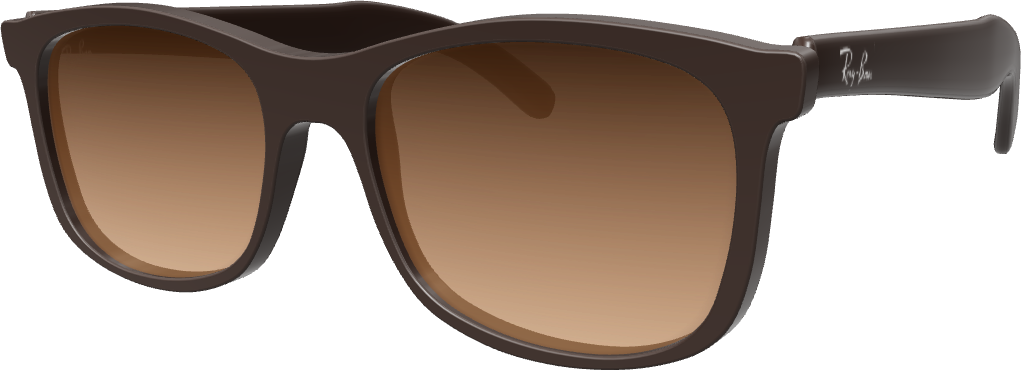
Tell us which frames to start with. We match each 3D model to its product, so nothing changes in your catalog. Frames in our catalog are free, your plan includes 10, 25 or 50 new ones, and a new frame after that is $39.
02 Install the plugin
Install LessLens Virtual Try-On from WordPress.org and paste the store key we give you. The button goes under Add to cart by itself; we help you or your developer if you need it.
03 Shoppers try them on
On a computer, in place of the product photo; on phones, in the browser; on iPhone, also in Apple’s AR viewer where available. Products without a 3D model stay exactly as they are.
Made for WooCommerce
Fits the store
you already run.
-
Your theme, as it is
Classic or block theme: the button sits under Add to cart and fits your page.
-
Every color
When a shopper picks another color, the button switches to it.
-
Only frames we have in 3D
The button shows only where there is a 3D model. Other products stay as they are.
-
Fast product pages
The try-on loads only when a shopper reaches for the button.
-
Private by design
The camera image is processed on the shopper’s device. LessLens doesn’t receive or store it.
What the research says
Shoppers who try on
buy more often.
19.8% higher purchase rate per session
From a peer-reviewed study of over 800,000 shopping sessions at a cosmetics retailer. The effect was strongest for less-known brands and pricier products.
Source: Journal of Marketing, 2022
2x conversion after a try-on or 3D click
From Amazon’s data for shoppers who click Virtual Try-On or View in 3D (US, 2022 average). Its Virtual Try-On covers eyewear and shoes.
Source: Amazon seller guide, 2024
Two stores, measured two different ways: the numbers differ, the direction doesn’t.
Measure it
See what it does
for your sales.
Start with a 60-day pilot on up to 20 of your frames, with no subscription fee.
01 A report every month.
In your own analytics, you see whether shoppers who try frames on buy more often.
Monthly report
Button views✓By frameTry-ons✓By frameDevices✓Browser · iPhone02 Day 45, together.
We look at the numbers with you before your plan starts.
- Day 1Button live
- Day 45Results review
- Day 60Pilot ends
✓$0 subscription during the pilot
03 Then decide.
If it doesn’t work for your store, one email ends it.
✓ContinueYour plan starts on day 61, from $99 a month for up to 50 frames.StopOne email during the pilot. No subscription to pay.
Is there a LessLens plugin for WooCommerce?
Yes: LessLens Virtual Try-On, free on WordPress.org. Install it, paste your store key in WooCommerce → Settings → LessLens Try-On, and the button appears on the frames you have in 3D. WordPress updates the plugin like any other; the try-on itself improves without a plugin update.
Does it work with my theme?
Yes, with classic and block themes: the button goes under Add to cart. If your product page uses a custom template, turn off automatic placement in the plugin’s settings and put the [lesslens_tryon] shortcode where you want the button, or we place it there with you.
How does the button know which frame to show?
We match each 3D model to its product by the SKU you already use, so nothing changes in WooCommerce. Products without a 3D model show no button.
What about frames in several colors?
Each color has its own 3D model, $9 for each additional color. When a shopper picks another color, the button switches to it, and a frame counts once toward your plan in all its colors.
Will it slow down my product pages?
No. The plugin adds a small script that runs once the page is ready, and the try-on itself loads only when a shopper points at or taps the button.
Can I measure the effect?
Yes. LessLens sends you a monthly report of button views and try-ons by frame. The plugin also fires try-on events on your page and, if you switch it on, sends them to Google Tag Manager, so in your own analytics you can see whether shoppers who try frames on buy more often. In the pilot, we review the numbers together on day 45, before your plan starts.
Do shoppers’ camera images leave their device?
No. The camera image is processed on the shopper’s device, and LessLens doesn’t receive or store it.
How much does it cost?
From $99 a month for up to 50 frames, $199 for up to 200 and $399 for up to 500, with no limits on try-ons (fair use applies). Each plan includes 10, 25 or 50 new frames in 3D, one color each: the first ones on monthly billing, that many in each paid year on annual billing. You start with a 60-day pilot on up to 20 of your frames, with no subscription fee.
WooCommerce is a trademark of Automattic Inc. LessLens is not affiliated with or endorsed by Automattic.
Your WooCommerce store
Let shoppers try before they buy.
Start with a pilot on up to 20 of your frames.
Discuss a pilotOr try the live demo first